
Mama Mia
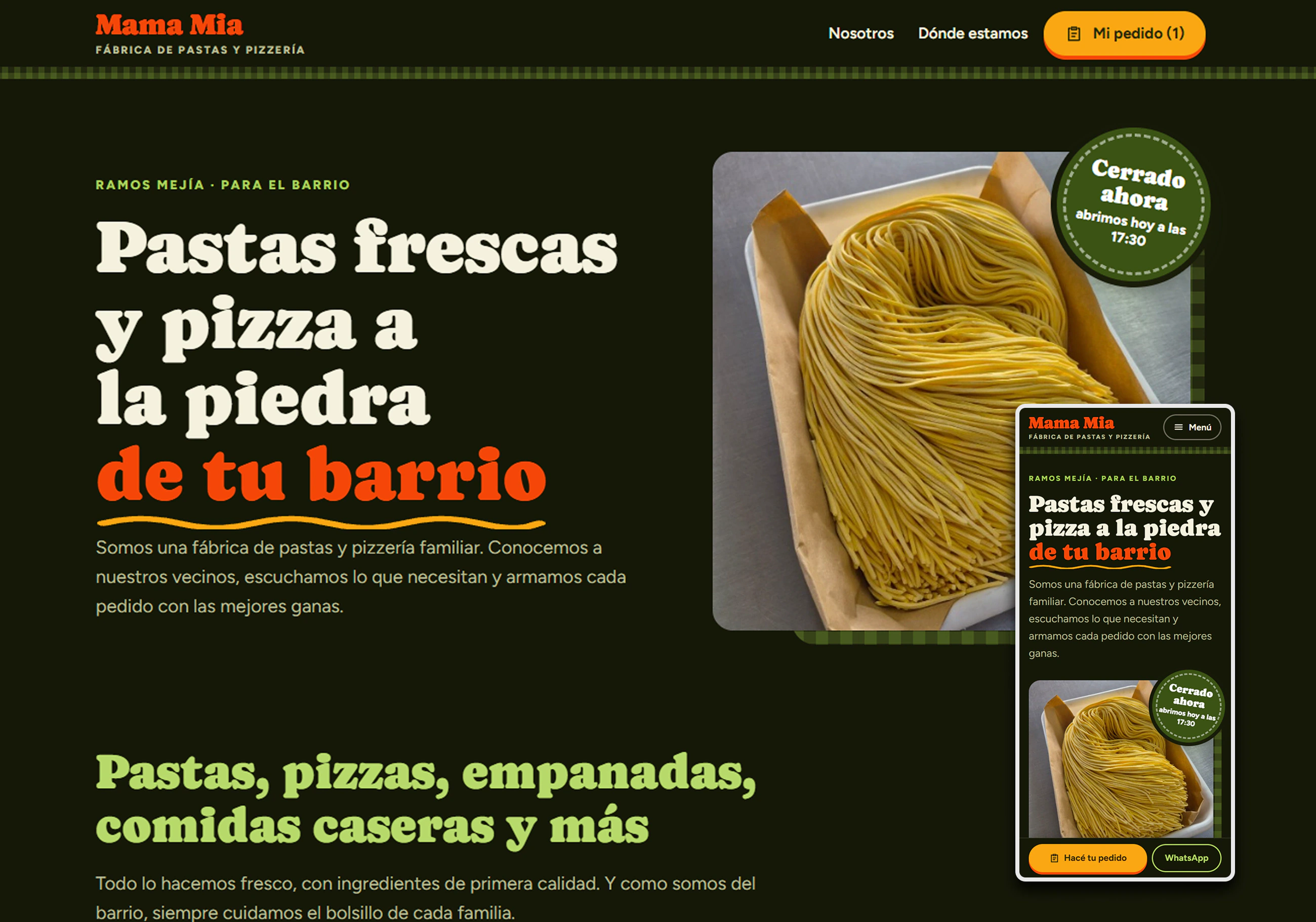
Website with an online menu and WhatsApp orders for a pasta factory and pizzeria in Ramos Mejía.
What they needed
They wanted to digitize as little as possible, but needed to receive orders clean.
What I did
A website with a menu that builds the order and leaves it written in WhatsApp.
The result
The order arrives built, with pickup or delivery and payment method, ready to confirm.
Overview
Mama Mia is a family pasta factory and pizzeria in Ramos Mejía, Buenos Aires. I designed and built its website: the full menu, opening hours, location, and an order builder that ends in a ready-to-send WhatsApp message.
What they wanted, and what they needed
To digitize as little as possible: no changes to how they work, and no joining online ordering platforms.
To receive every order clean: complete, organized and ready to prepare. They didn't know it yet — it was the solution I proposed.
The solution
A simple website with the full menu. Customers build their order with a few taps and send it over WhatsApp with the message already written. The business keeps using the channel it always has; the only change is that orders now arrive clean.
The journey on desktop
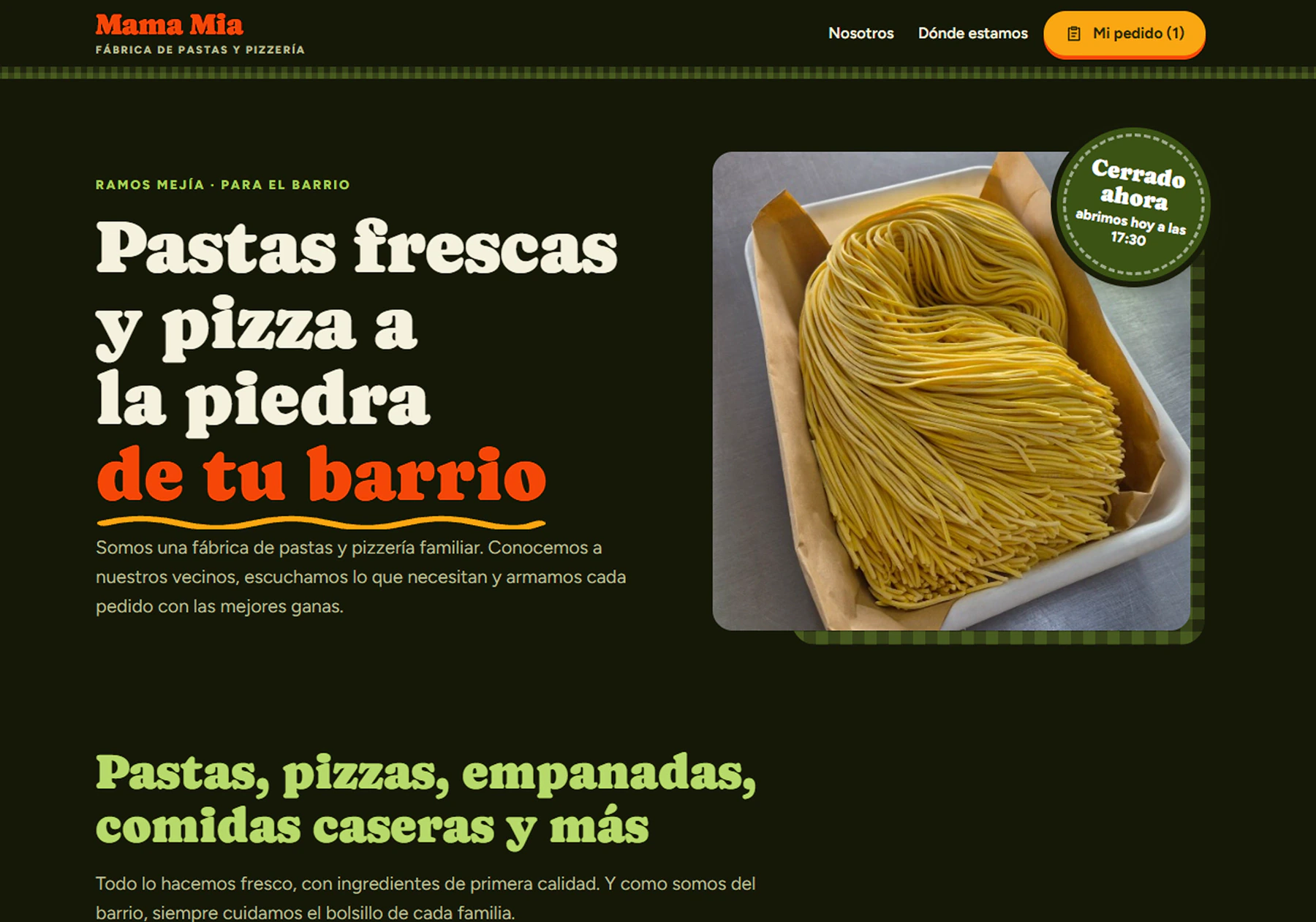 01 · HomeClear at a glanceWhat they do, where they are, whether the shop is open right now, and a button to order.
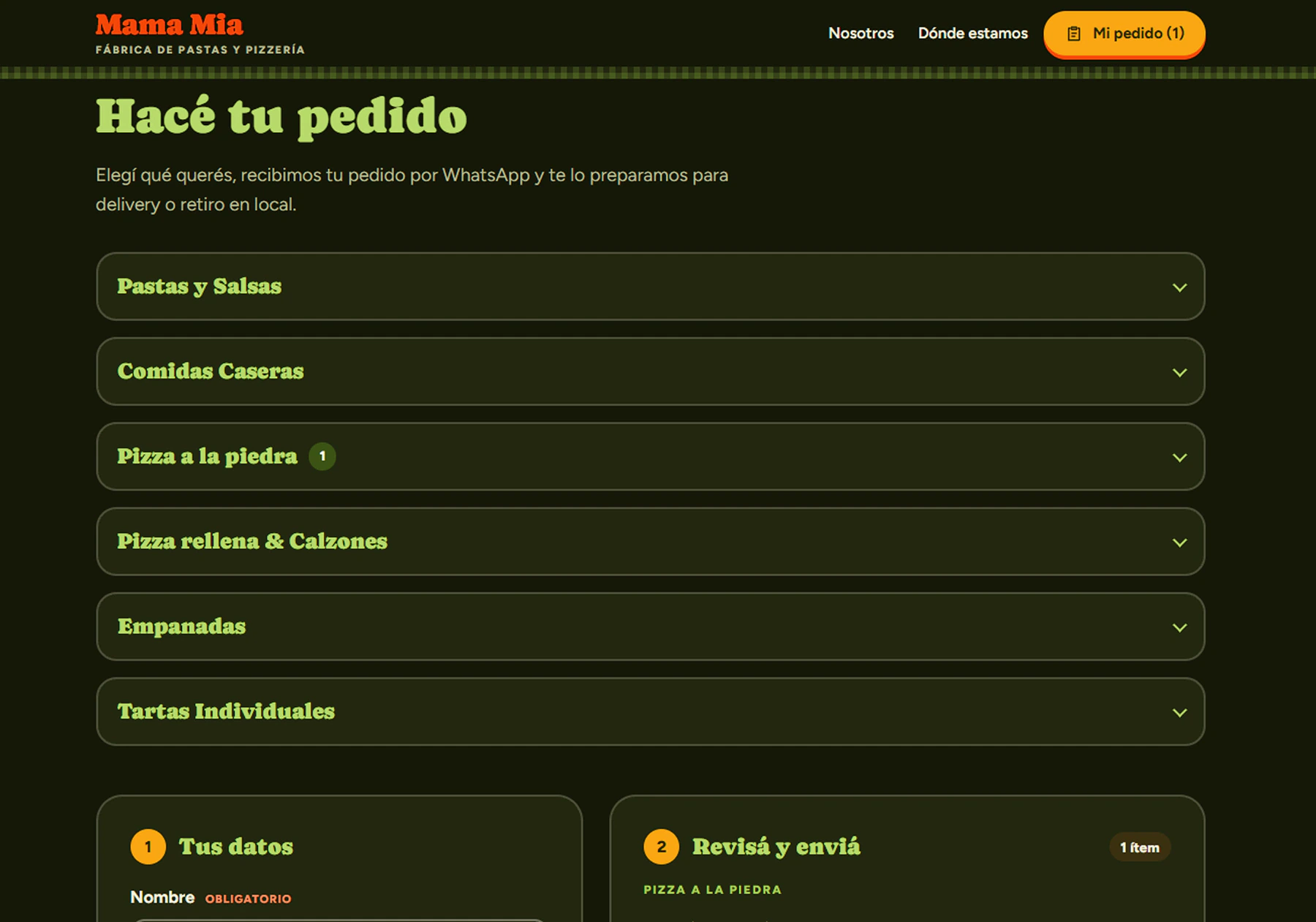 02 · The menuEverything in groupsPasta, home-style meals, pizzas, empanadas and tarts. Each group opens and closes so nothing feels overwhelming.
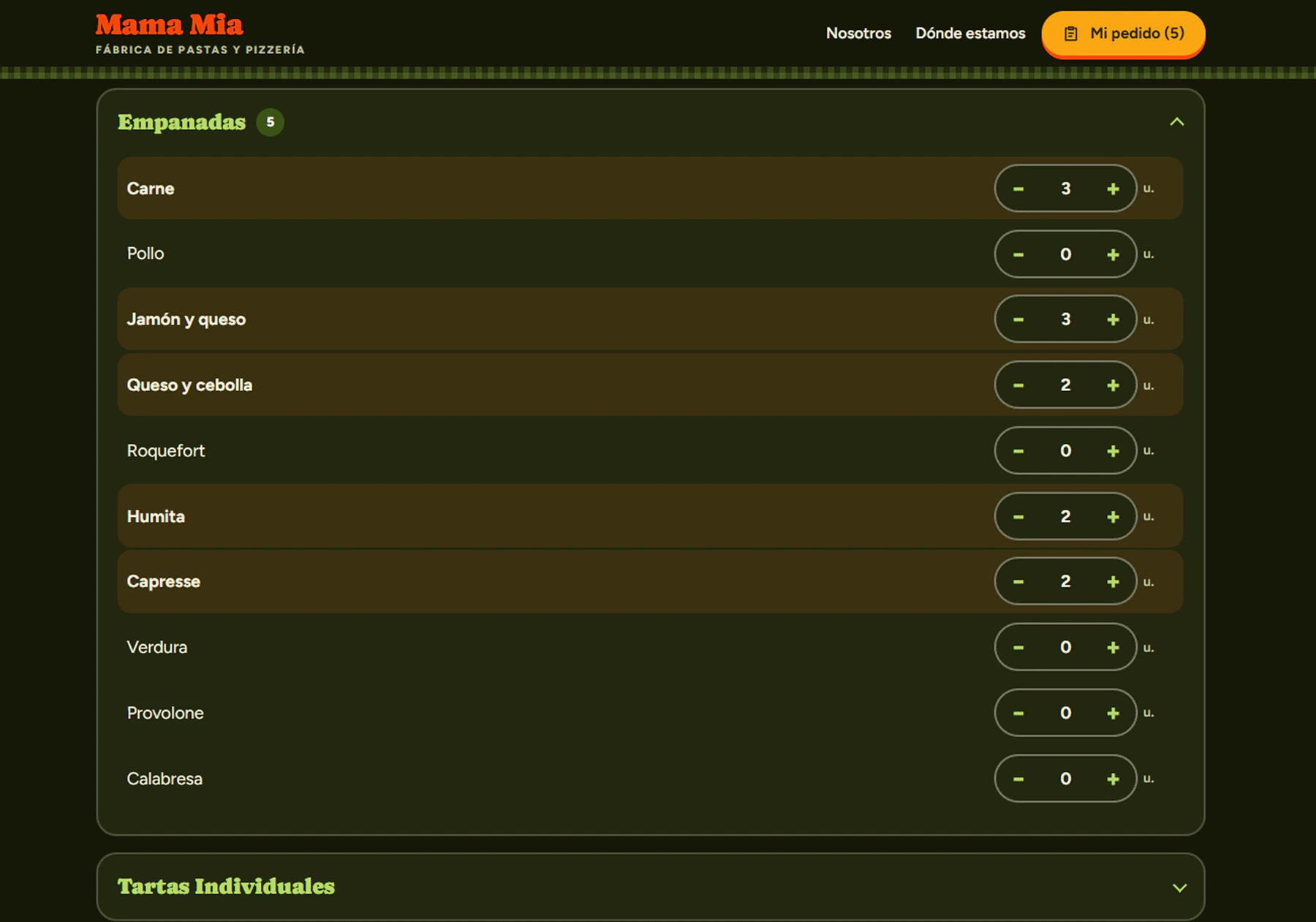 03 · Building the orderOne tap to add“+” and “−” buttons in the right unit: kilo, unit or portion. The order counter is always in view.
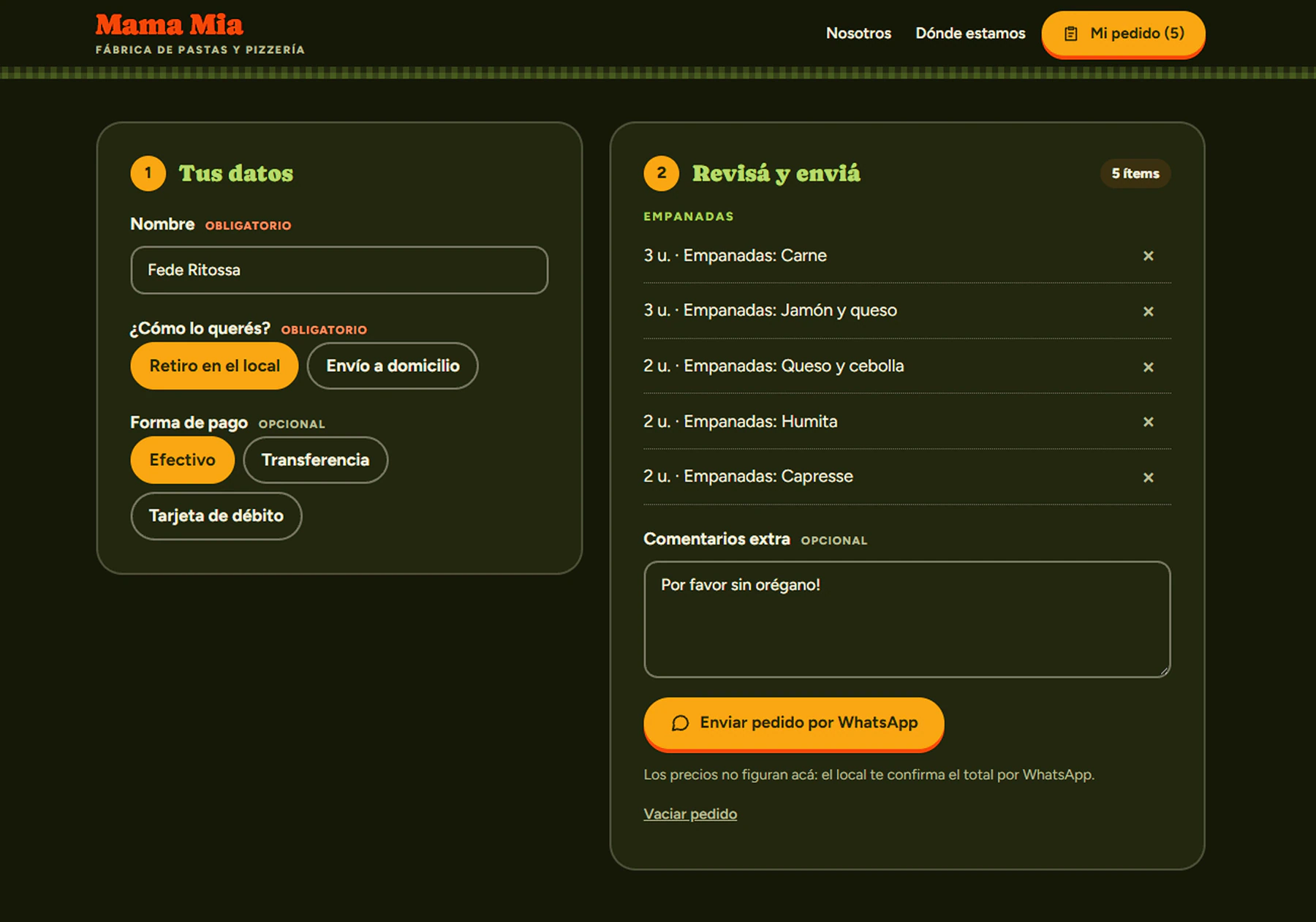 04 · Details and sendingTwo steps, doneName, pickup or delivery, payment method and comments. Next to it, the summary ready to send over WhatsApp.
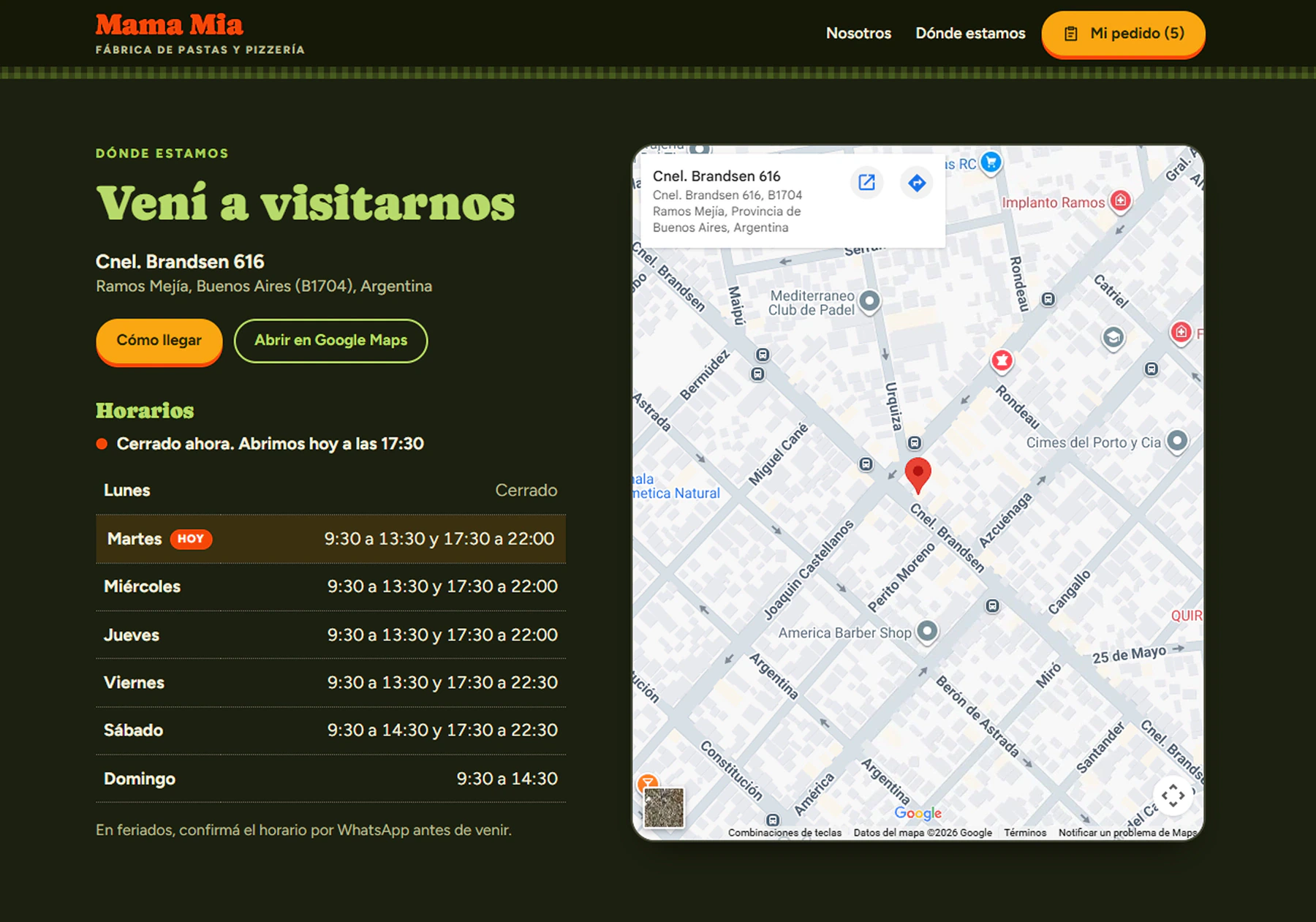 05 · LocationHow to get there, and whenAddress, Google map and opening hours, with today highlighted and the shop’s live status.
The journey on mobile
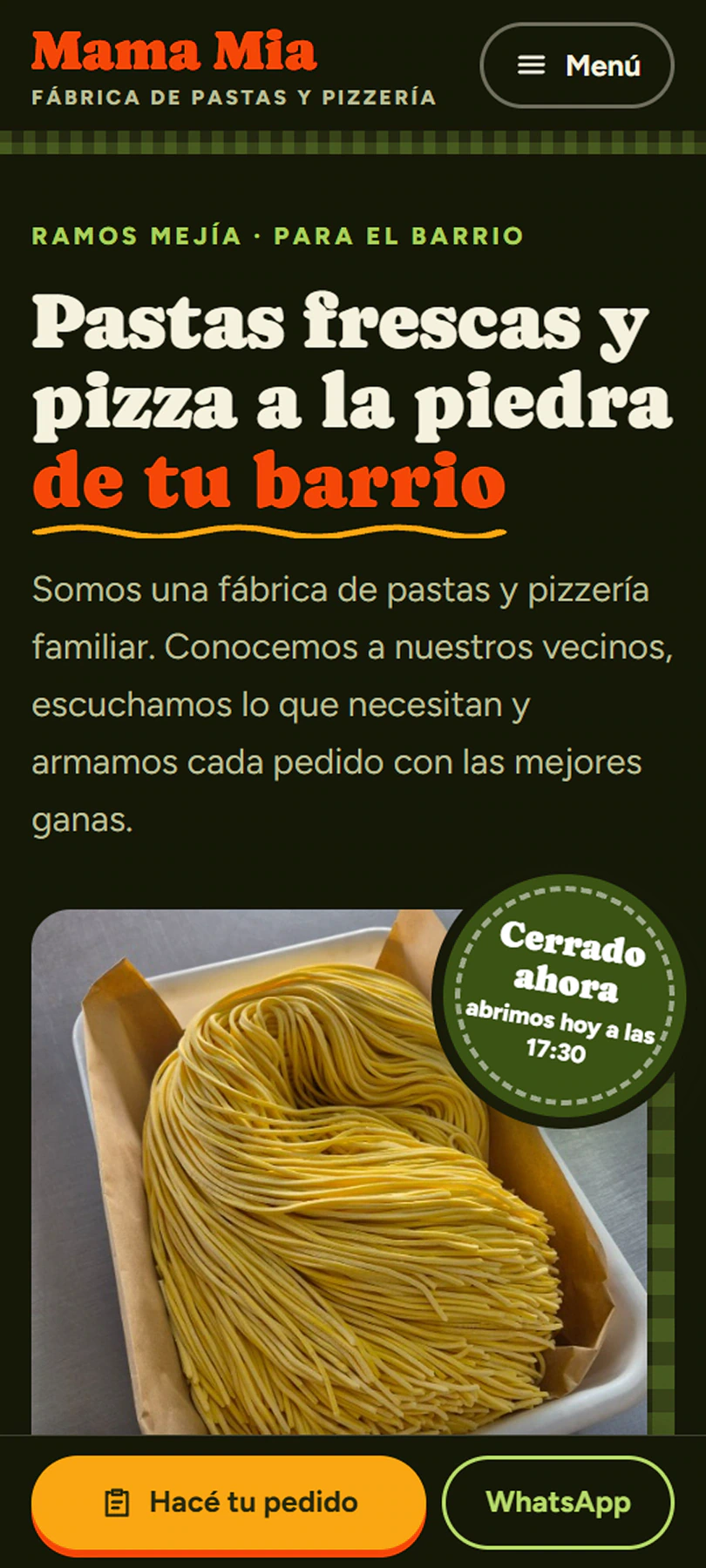 01 · HomeThe essentials at handWhat they do, and a fixed bar at the bottom to order or message on WhatsApp.
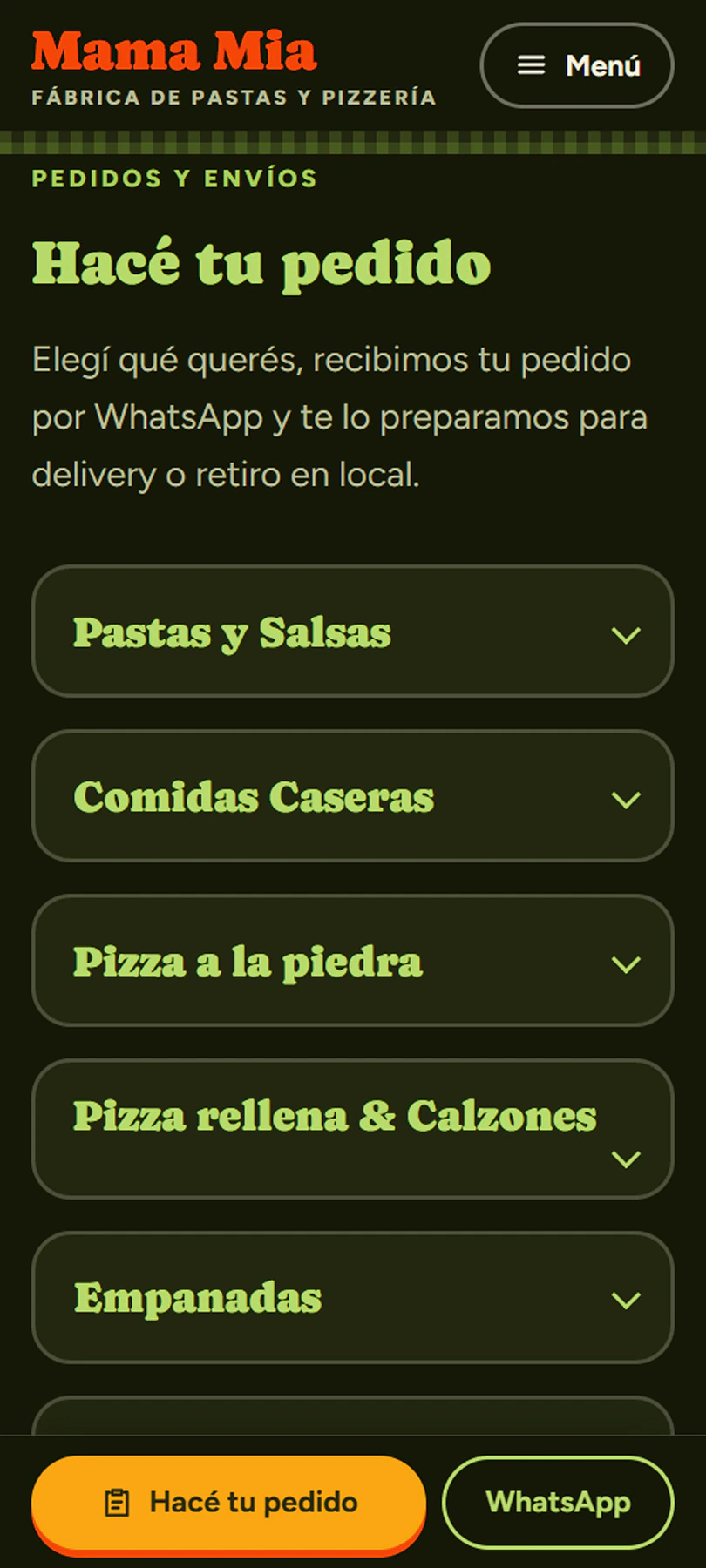 02 · The menuGroups that are easy to tapA single column and big buttons: it makes sense without any explanation.
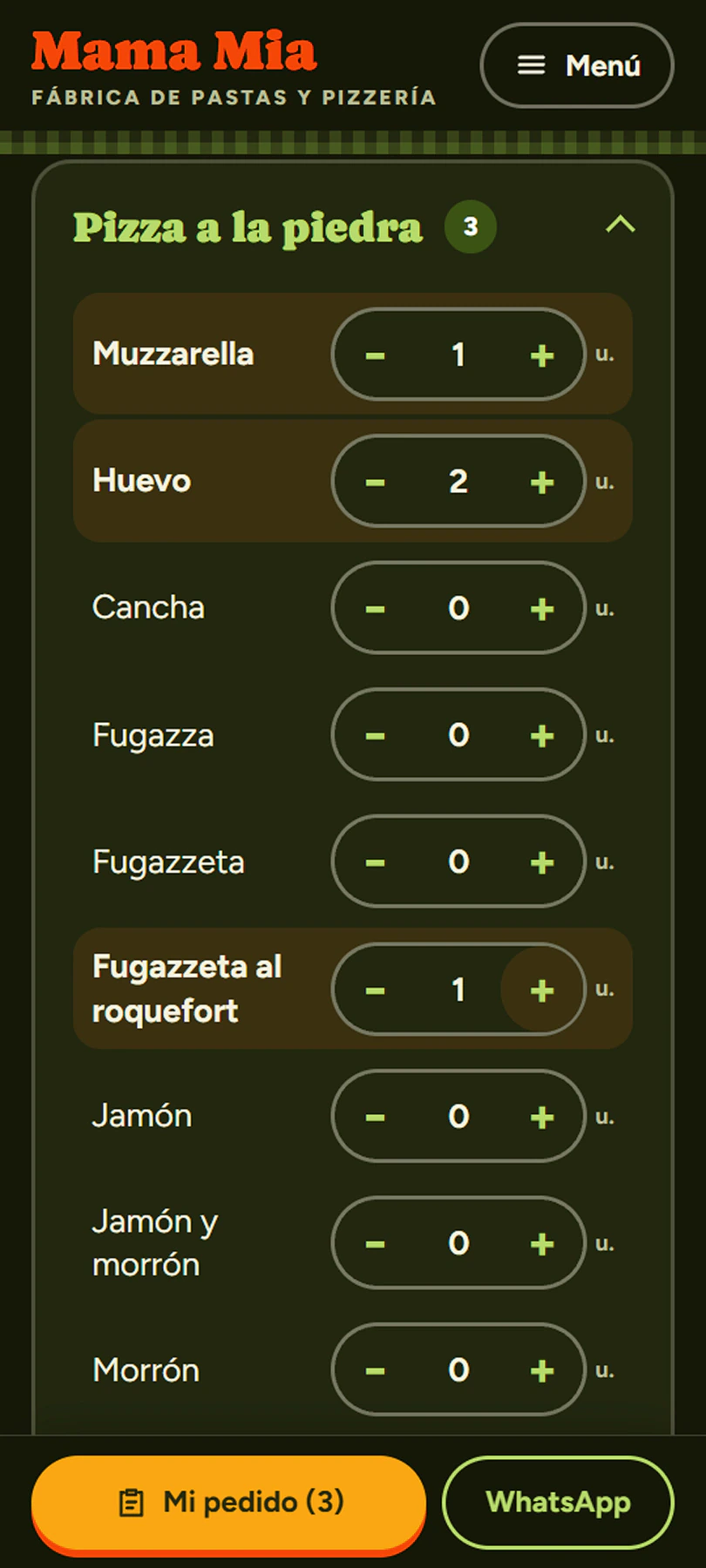 03 · Building the orderQuantities with your thumbBig buttons to add and remove. The bottom bar counts how many items the order has.
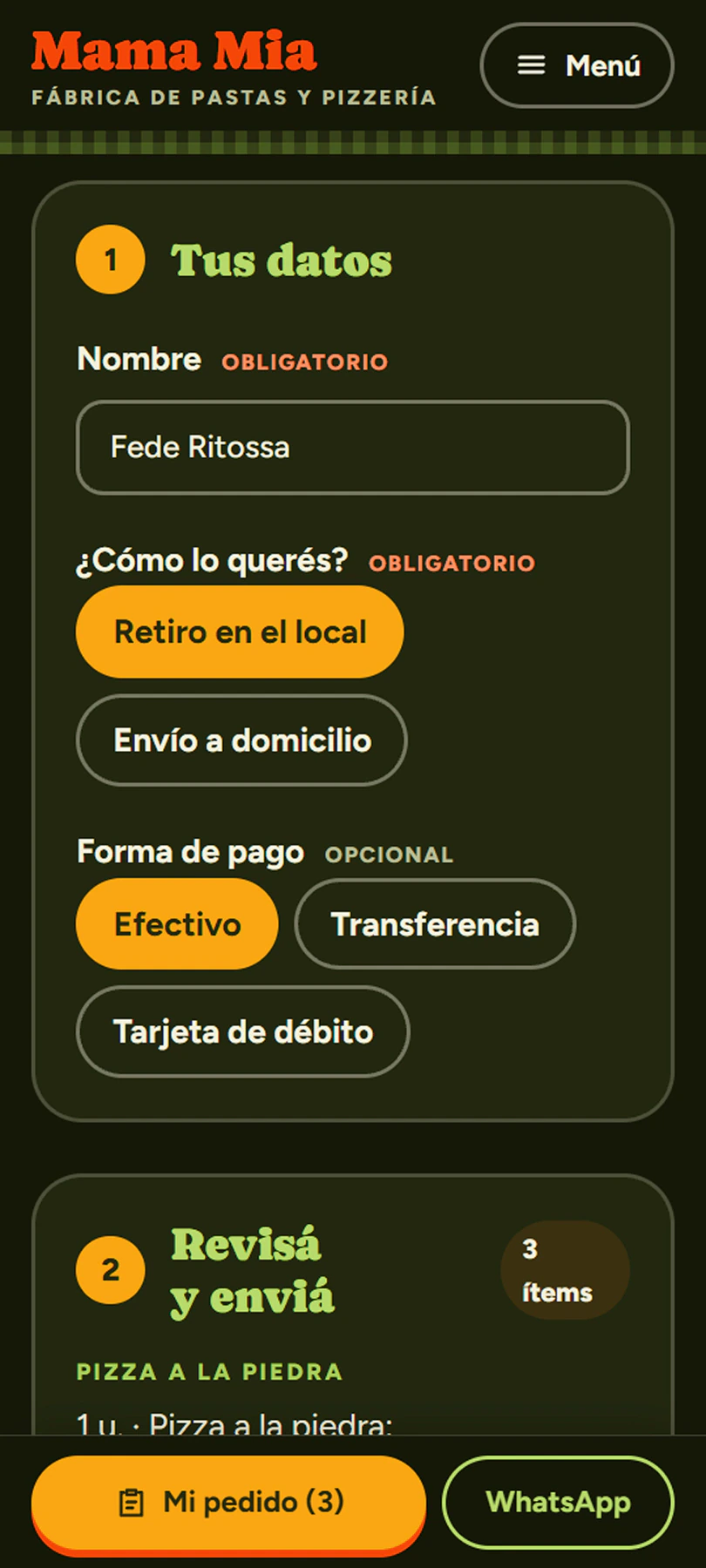 04 · Your detailsFew fields, clearly labeledName, pickup or delivery and payment method. Every field says whether it’s required or optional.
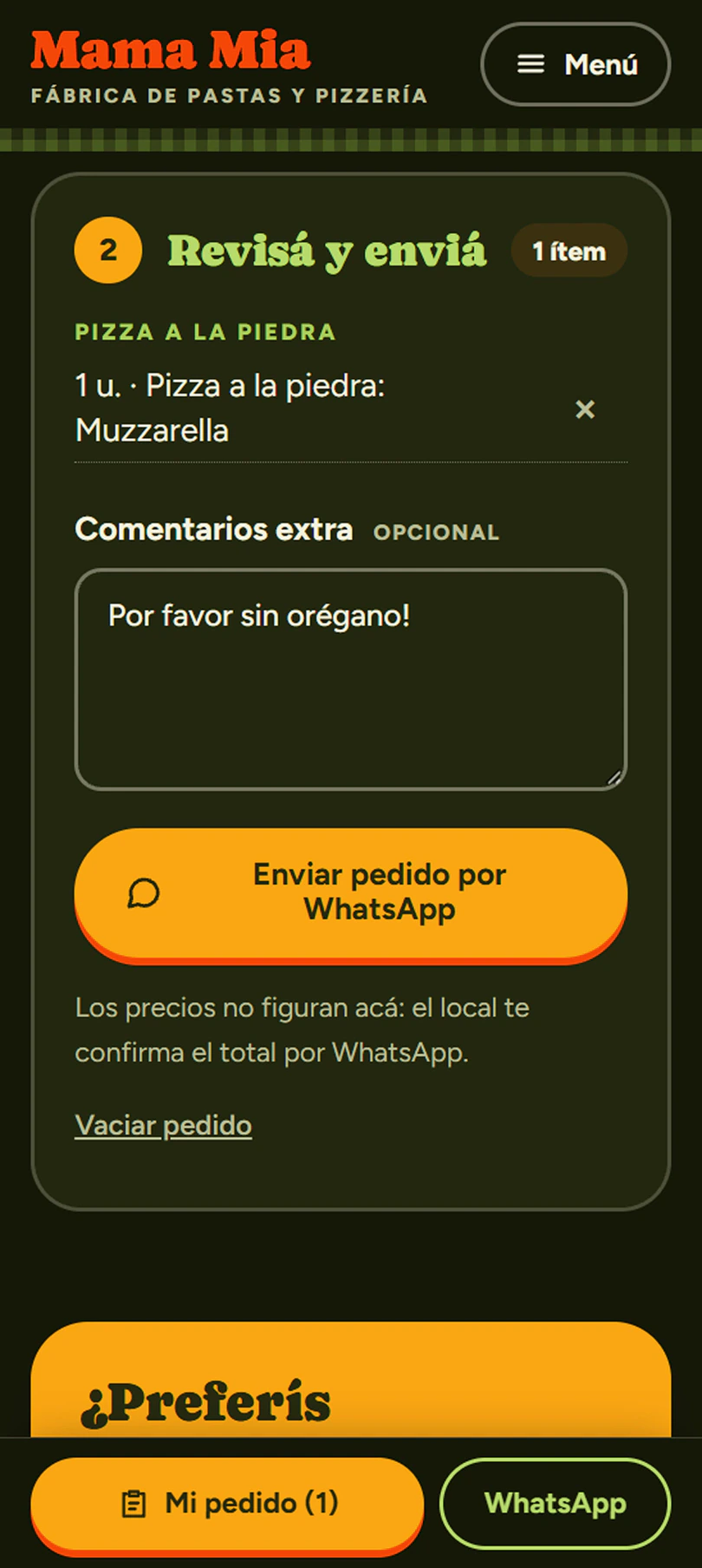 05 · ReviewReview and sendThe order summary, extra comments and the button that opens WhatsApp with everything written.
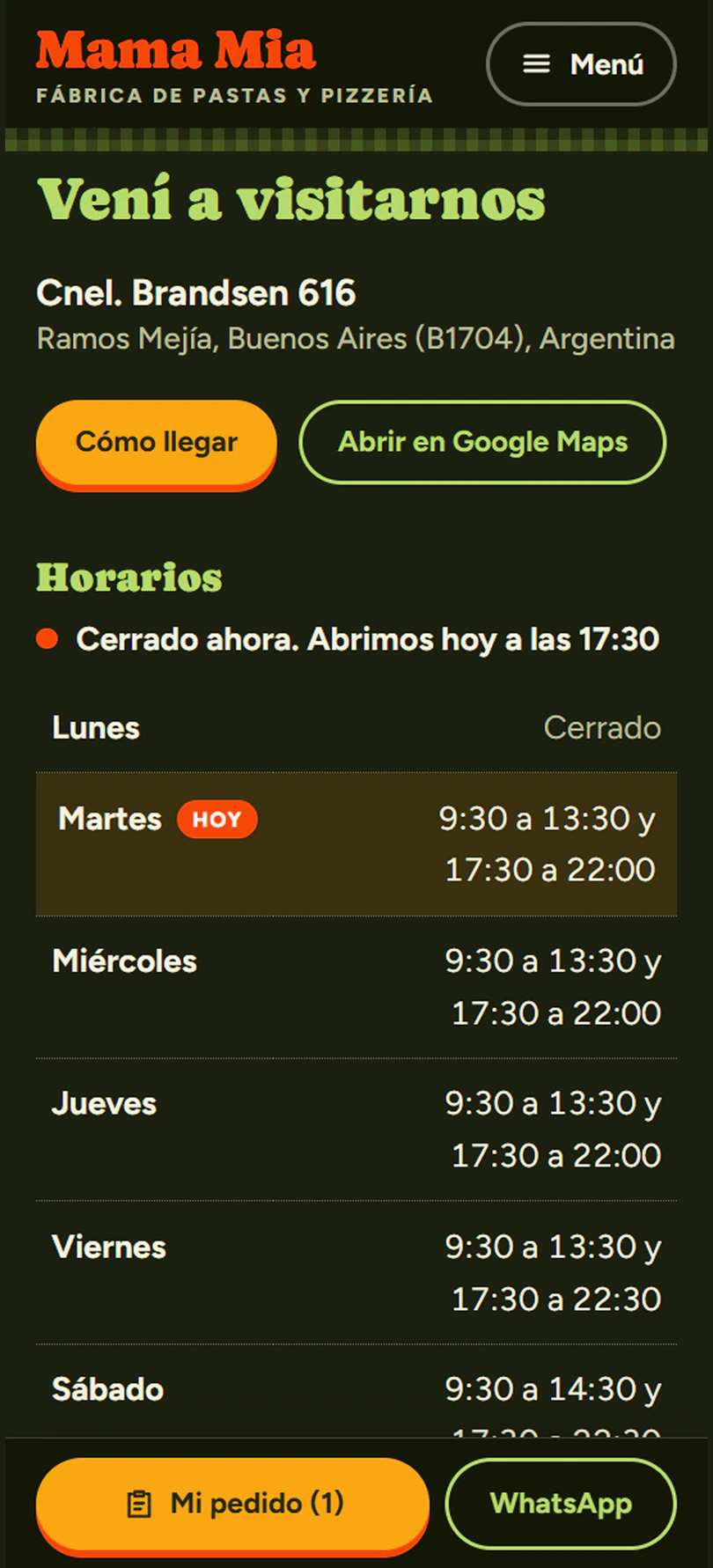 06 · LocationHours and directionsSays live whether the shop is open and opens the map with one tap.
How it works in practice
In the video: a full order, from the home page to the send button, in under 30 seconds.
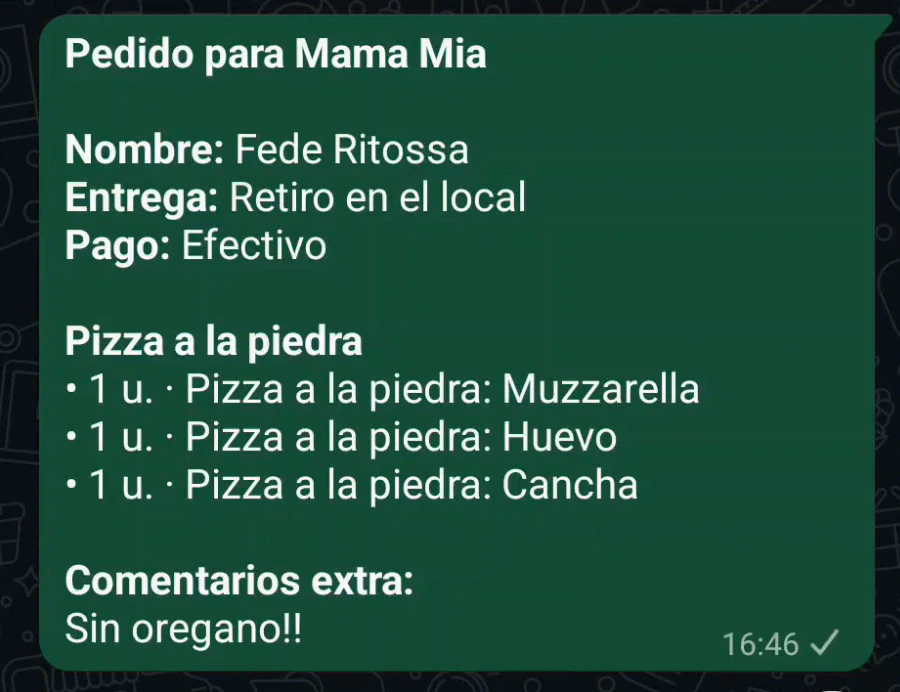 And the order lands in WhatsApp already writtenName, delivery, payment, items by group and comments. No back-and-forth.
What it brings to the business
The order flow is now faster and cleaner: customers build the order themselves and the shop only confirms it.
They arrive complete and organized: name, delivery, payment, items and comments. Nobody has to retype them.
No need to ask what the customer wants or how they're paying. The shop just confirms the total.
Quantities come from buttons and the message always has the same format.
They keep taking orders on WhatsApp. No platforms, no middlemen and no commissions.
Since the site doesn't show prices, there's nothing to change every time they go up. The shop confirms the total.
Says live whether the shop is open, and shows the hours and directions with Google Maps.
In detail
- Design. Deep green, orange and yellow, with Caprasimo for headings, Figtree for body text and Caveat for handwritten touches. A warm, neighborhood tone, the same way the business talks to its neighbors.
- Technology. HTML, CSS and JavaScript with no framework and no backend: the order is built in the browser and sent as text over WhatsApp. Without JavaScript the menu is fully readable and there’s direct WhatsApp and phone contact.
- Search. Structured data (schema.org) with address, phone and hours, so the shop shows up properly on Google.
- My role. Product design, visual design, UX writing and full front-end development.